
 Starting from LabBook 3.6, it is now possible to switch from HTTP mode to HTTPS mode .
To switch to HTTPS mode, you need to:
- Open the LabBook console
- Log in as the LabBook administrator (the one defined during installation — sigl by default)
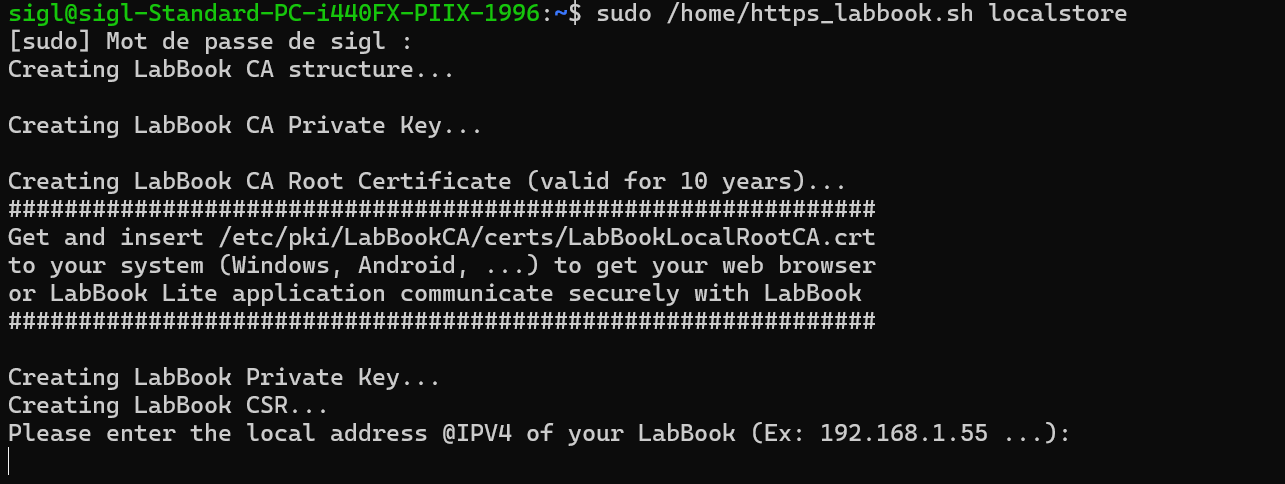
- Run the command:
sudo /home/https_labbook.sh localstoreand answer the prompt by entering the IP address of the LabBook on the local network.
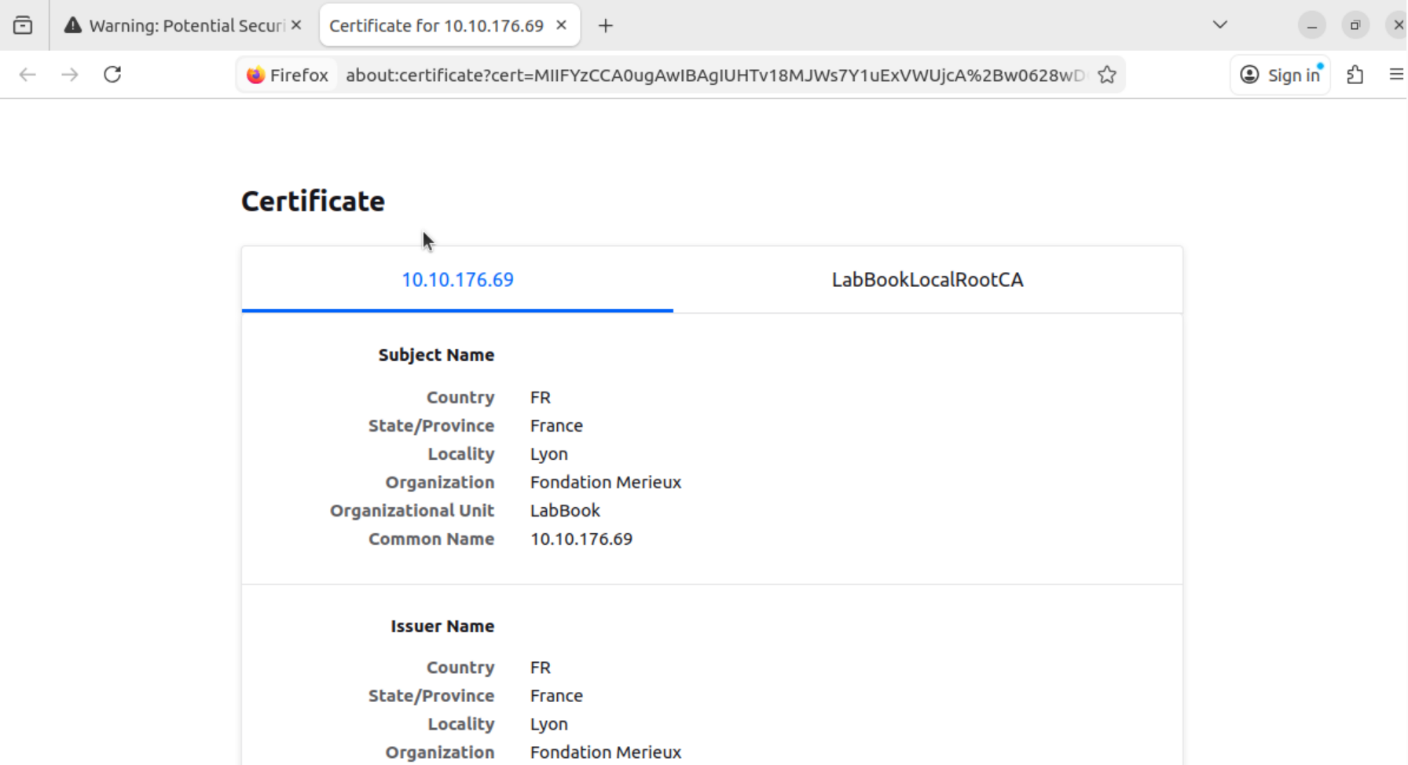
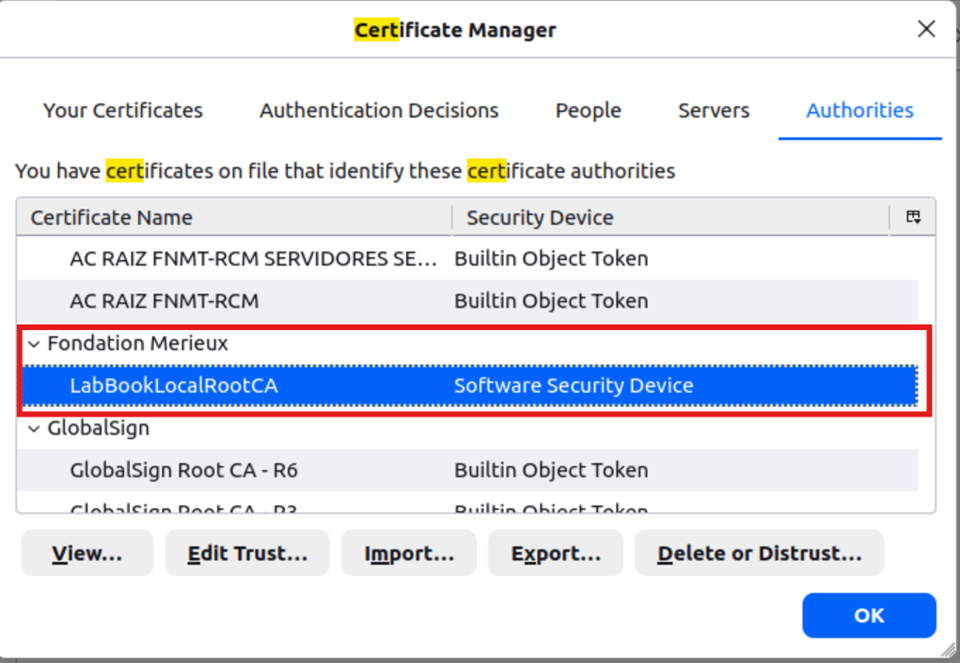
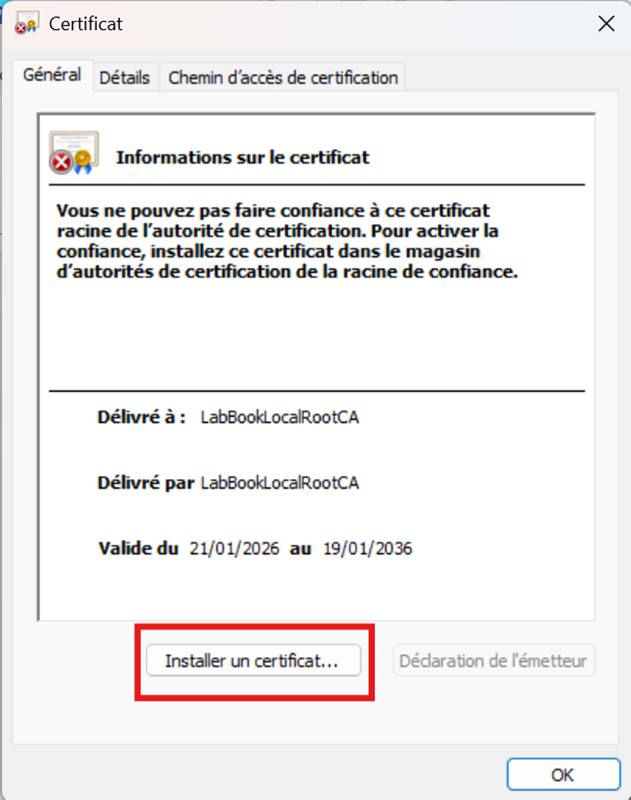
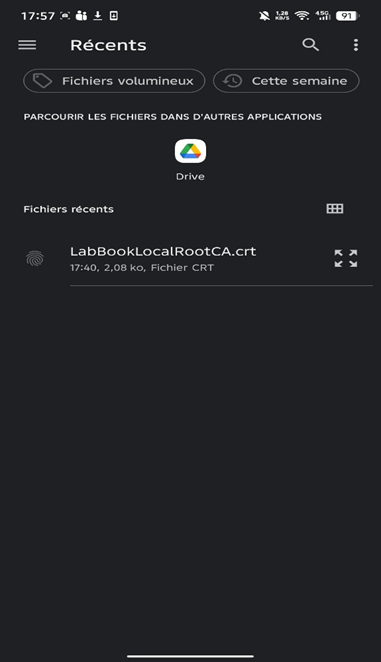
It is possible to add the generated certificate to:
- the LabBook browser (Ubuntu):
- on Windows:
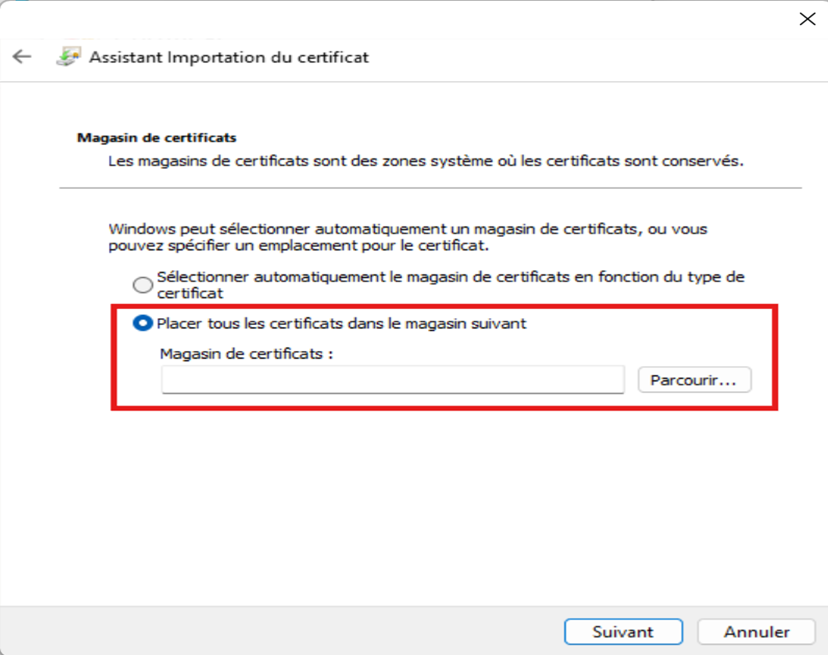
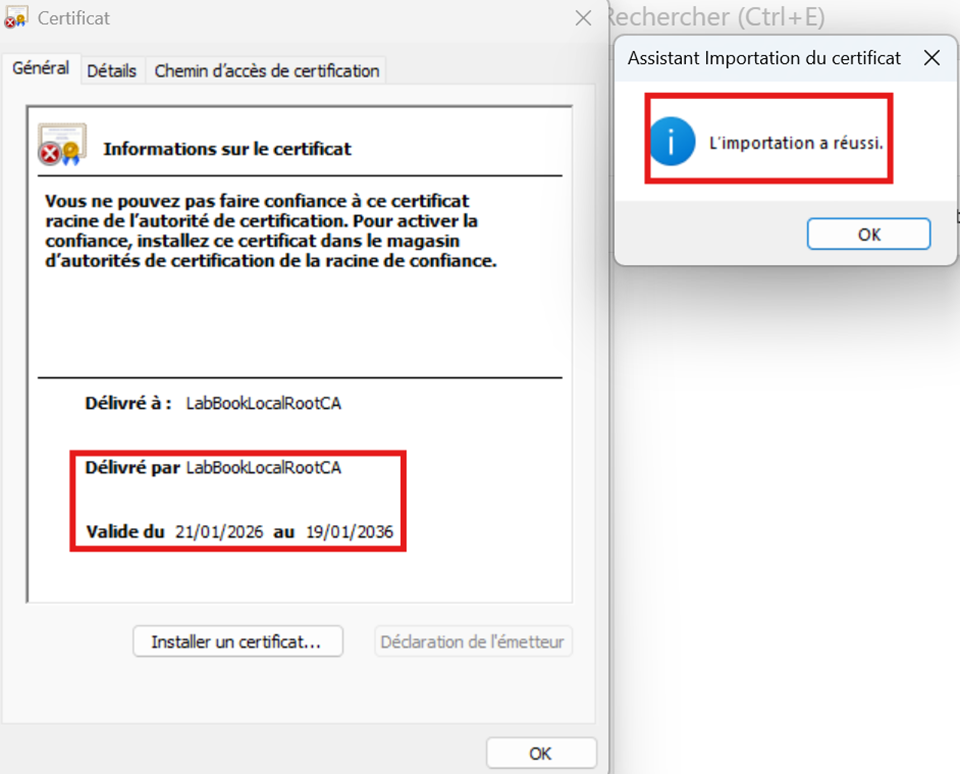
- and also on LabBook Lite:

 Intervenant : Fatou NDIAYE
  Durée : 8'48 min
  Direct link to YouTube
Last modified: Tuesday, 21 April 2026, 2:22 PM